The previous article showed the report: 7 scenarios, 79 checks, all green. This one is about what happened before the report turned green. The first run did not pass. Six bugs were detected by the tests, Claude Code fixed each one in the application code, and the suite was re-run until everything passed.
If you have ever shipped an internal tool in Streamlit, you will recognize most of them. Three share one root cause, and that root cause is probably the most common Streamlit mistake there is.
- 1. What the autonomous bug-fix loop does
- 2. Bug 1: “Select all” and “Clear all” do not toggle the checkboxes
- 3. Bug 2: The previous project name stays in the Rename field
- 4. Bug 3: The first chat of a new project is missing from the history
- 5. Bug 4: The pencil buttons render blank
- 6. Bug 5: The prompt form is not cleared after adding a prompt
- 7. Bug 6: The delete confirmation stays checked after a deletion
- 8. The shared lesson: keyed widgets prefer their own state over value=
1. What the autonomous bug-fix loop does
The kit’s test-automation prompt contains this instruction:
If an exception, a UI element that cannot be found, or a Streamlit error screen (a traceback display) is detected while the tests run, Claude Code itself must locate the cause in the relevant code (
app.pyand so on), fix it, and re-run until every test passes.
In practice the loop is: write the Playwright tests, run them, watch one fail, read the failing assertion and the screenshot, find the cause in app.py, patch it, run again. The human does none of those steps. Each fix is recorded in test_automation_bugfixes.json with four fields, the file and section, the test that detected it, the cause, and the fix, and that JSON is rendered into the report as Appendix D.
Two details matter for trust. First, “detected” does not only mean “threw an exception”. Several of these bugs produced no error at all; they were caught because an assertion compared two things that should have agreed and found that they did not. Second, the loop ran more than once: bug 6 was only visible on the second run, after the first round of fixes.
Here are the six, in the order the log records them: symptom, detection, cause, fix.
2. Bug 1: “Select all” and “Clear all” do not toggle the checkboxes
Symptom. In the “Registered documents (RAG sources)” sidebar section, pressing “Clear all” left all four file checkboxes visibly checked, while the caption underneath read “In scope: 0 / 4”. The screen said everything was in scope; the RAG search was actually looking at zero files.
Detected by. Test 3. After “Clear all”, the runner read the state of every checkbox from the DOM and asserted that each one was False. It also read the caption. The two disagreed.
Cause. A keyed st.checkbox prefers its own widget state in session_state over the value= argument. The buttons rewrote only selected_files, the dictionary the RAG filter uses, and never touched the checkboxes’ own state. So the filter changed and the widgets did not.
Fix. When either button is pressed, the checkbox session_state (chk_{project_id}_{fname}) is rewritten at the same time as selected_files. The checkbox no longer passes value= at all; it seeds its state from selected_files only when that key has not been initialized yet.
The generic shape of the fix:
def select_all():
    for fname in files:
        st.session_state[f"chk_{project_id}_{fname}"] = True
        selected_files[fname] = True

st.button("Select all", on_click=select_all)

for fname in files:
    key = f"chk_{project_id}_{fname}"
    if key not in st.session_state:
        st.session_state[key] = selected_files.get(fname, True)
    st.checkbox(fname, key=key)   # no value=
3. Bug 2: The previous project name stays in the Rename field
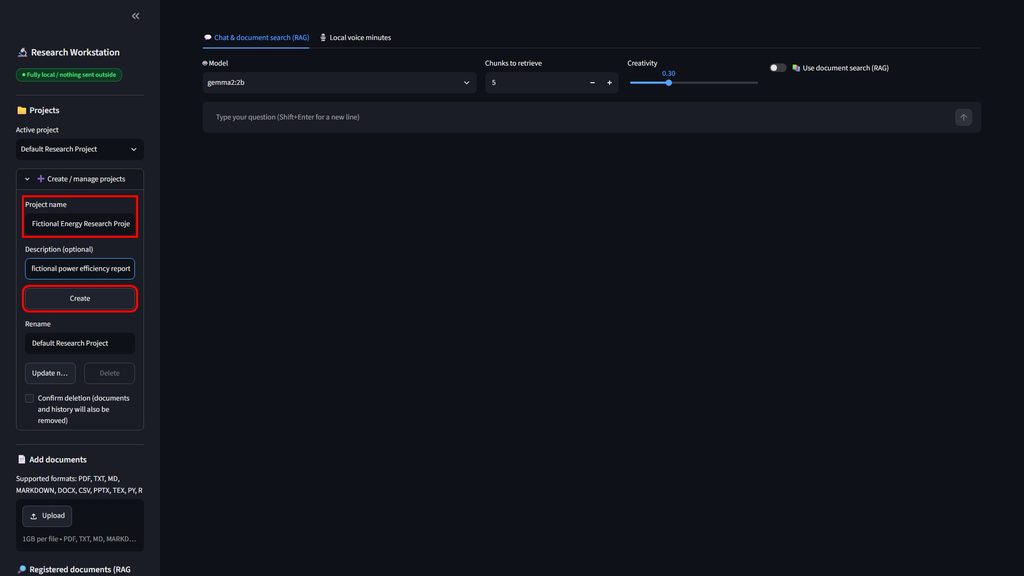
Symptom. After creating Test_Project_Alpha, the “Rename” text field under “Create / manage projects” still showed “Default Research Project”.
Why it is dangerous. Pressing “Update name” in that state would overwrite the new project with another project’s name, or fail on the UNIQUE constraint on project names.
Detected by. Test 2, which checks that the rename field shows the current project’s name right after creation.
Cause. The field used a fixed key="rename_project_input", so value=cur['name'] was ignored after the first render. Same mechanism as bug 1.
Fix. The key now includes the project ID: rename_project_input_{id}. Switching projects creates a different widget, so nothing from the previous one carries over.
st.text_input("Rename", value=cur["name"],
              key=f"rename_project_input_{cur['id']}")
4. Bug 3: The first chat of a new project is missing from the history
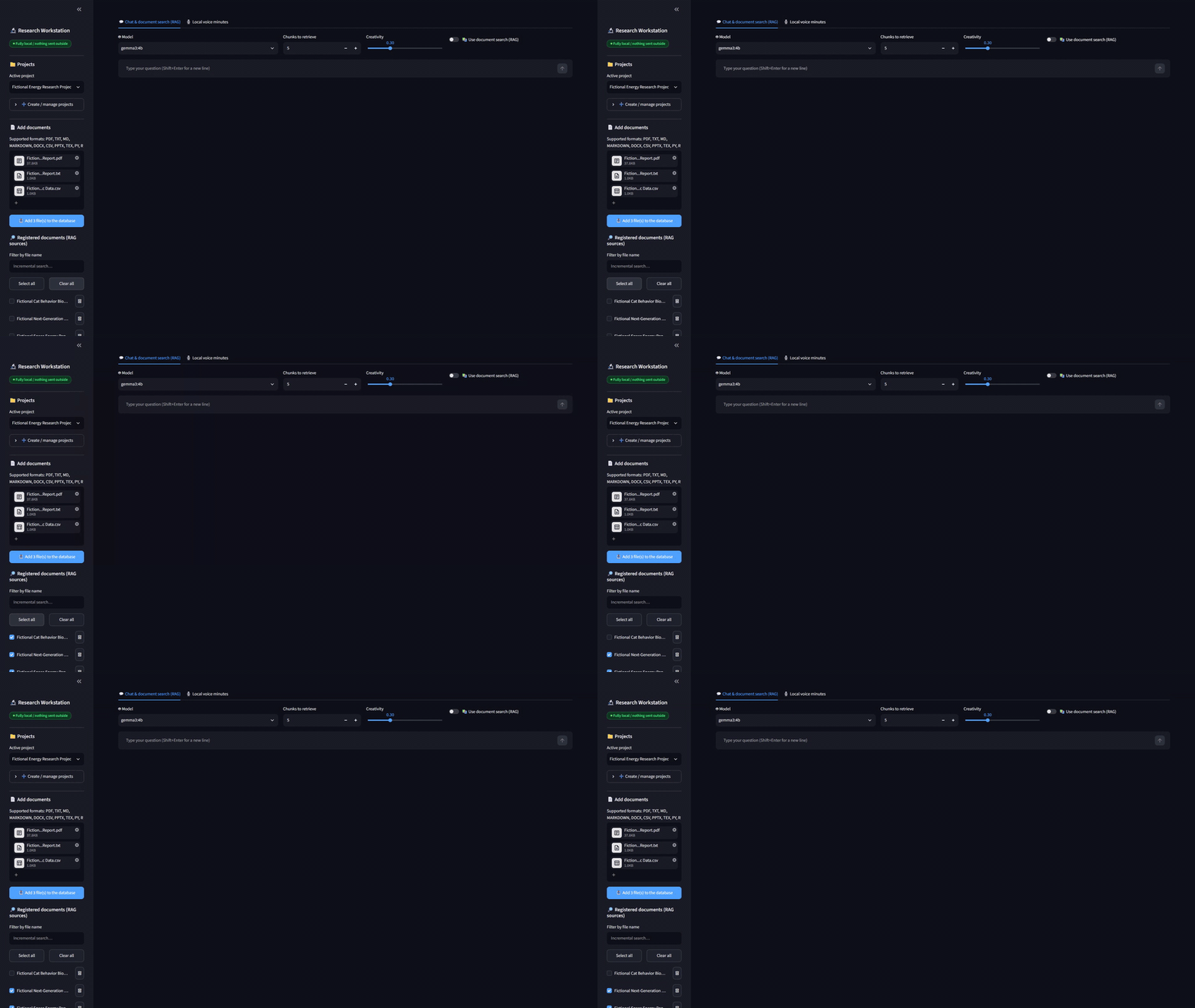
Symptom. In a brand-new project, pressing “New chat” took the thread count from 0 to 2. The first thread existed and the conversation had started in it, but the “Chat history” list in the sidebar had never shown it.
Detected by. Test 2, which counts threads before and after “New chat” and expected an increase of exactly one.
Cause. The first thread was auto-created in the main area, which renders after the sidebar. On that pass, the sidebar had already drawn an empty history list.
Fix. When the sidebar loads the history and finds zero threads, it creates the first one right there and includes it in the list.
This is an ordering bug rather than a state bug: anything created further down the script than the sidebar will not appear in the sidebar until the next rerun.
5. Bug 4: The pencil buttons render blank
Symptom. The small edit buttons, rename a thread in “Chat history” and edit a prompt in “Academic prompts”, showed nothing at all: a 26-pixel-wide button with no label.
Detected by. Test 2’s screenshot plus DOM inspection. The element existed, had the right size, and drew nothing.
Cause. The pencil emoji was used as the button label, which Streamlit renders as a Markdown paragraph inside the button. In a narrow column, under those font and width conditions, the glyph did not render.
Fix. The button now uses the Material icon bundled with Streamlit, icon=":material/edit:", the same approach the trash button already used. The icon ships with Streamlit, so no external request is made, which matters for an app whose whole point is that nothing leaves the machine.
# before: an emoji label drawn as Markdown inside a 26 px button
# after:  a bundled Material icon, no network request
st.button("", icon=":material/edit:", key=f"edit_{thread_id}", help="Rename")
A human tester spots this in a second. The interesting part is that automation caught it too, because the test did not stop at “the button exists”; it looked at what was rendered.
6. Bug 5: The prompt form is not cleared after adding a prompt
Symptom. After adding a prompt titled “Test_Prompt_Alpha”, the title field still contained “Test_Prompt_Alpha”. Worse, clicking the edit button on a different, existing prompt did not load that prompt into the form.
Detected by. Test 4, which asserts that the form is empty after an addition and that the edit button loads the selected prompt.
Cause. The three form fields used fixed keys (pf_title, pf_cat, pf_body), so value=editing[...] was ignored and whatever had been typed last stayed on screen. Bugs 1 and 2 again.
Fix. The keys now include the ID of the prompt being edited and a counter, prompt_form_nonce, that is incremented on save, delete and cancel. Any of those actions rebuilds the form from scratch.
nonce = st.session_state.get("prompt_form_nonce", 0)
edit_id = editing["id"] if editing else "new"
st.text_input("Title", value=editing_title,
              key=f"pf_title_{edit_id}_{nonce}")
7. Bug 6: The delete confirmation stays checked after a deletion
Symptom. After deleting a project, the “Confirm deletion (documents and history will also be removed)” checkbox stayed checked and the Delete button stayed enabled. Because the app switches to the first project after a deletion, one stray click would delete that project too, and the next one after it.
Detected by. Test 2, on the second run after the first round of fixes. The first run had failed earlier in the same scenario; once that was fixed, the suite got far enough to find this one. This is exactly why the prompt says “re-run until every test passes” rather than “fix the failure”.
Cause. The deletion ran inside the if st.button("Delete"): block. By the time that block executes, the confirmation checkbox has already been rendered for this run, so its state cannot be reset.
Fix. The deletion moved into an on_click callback. Callbacks run before the script re-renders, so the callback can reset confirm_del_proj to False and the checkbox draws unchecked. Error messages are passed back through session_state.last_error, which existed but had been unused.
def delete_project():
    try:
        db.delete_project(cur["id"])
    except Exception as e:
        st.session_state.last_error = str(e)
    st.session_state.confirm_del_proj = False

st.button("Delete",
          disabled=not st.session_state.get("confirm_del_proj", False),
          on_click=delete_project)
8. The shared lesson: keyed widgets prefer their own state over value=
Three of the six, bugs 1, 2 and 5, are the same bug wearing different clothes. In Streamlit, a widget with a key owns an entry in session_state, and the value= you pass is used only when that entry does not exist yet. On every later rerun the widget shows its own stored state, and your value= is silently ignored. There are exactly two remedies:
- Rewrite the widget’s
session_stateentry before the widget renders, typically in a button’son_clickcallback (bug 1). - Change the key so that a different widget is created: per project ID, per edited record, or with a nonce that you bump when the form should reset (bugs 2 and 5).
The second lesson comes from bug 6: anything irreversible belongs in an on_click callback, not in an if st.button(...) block. Callbacks are the only place in a Streamlit script where you can still change the state of widgets that are about to be drawn.
And bug 4 is a reminder that rendering bugs are real bugs. A test that only checks locator.count() == 1 passes on a blank button; a test that checks what is visible does not.
コメント